 Bubble Level
Bubble Level
Transform Your Phone into a Precision Leveling Tool!


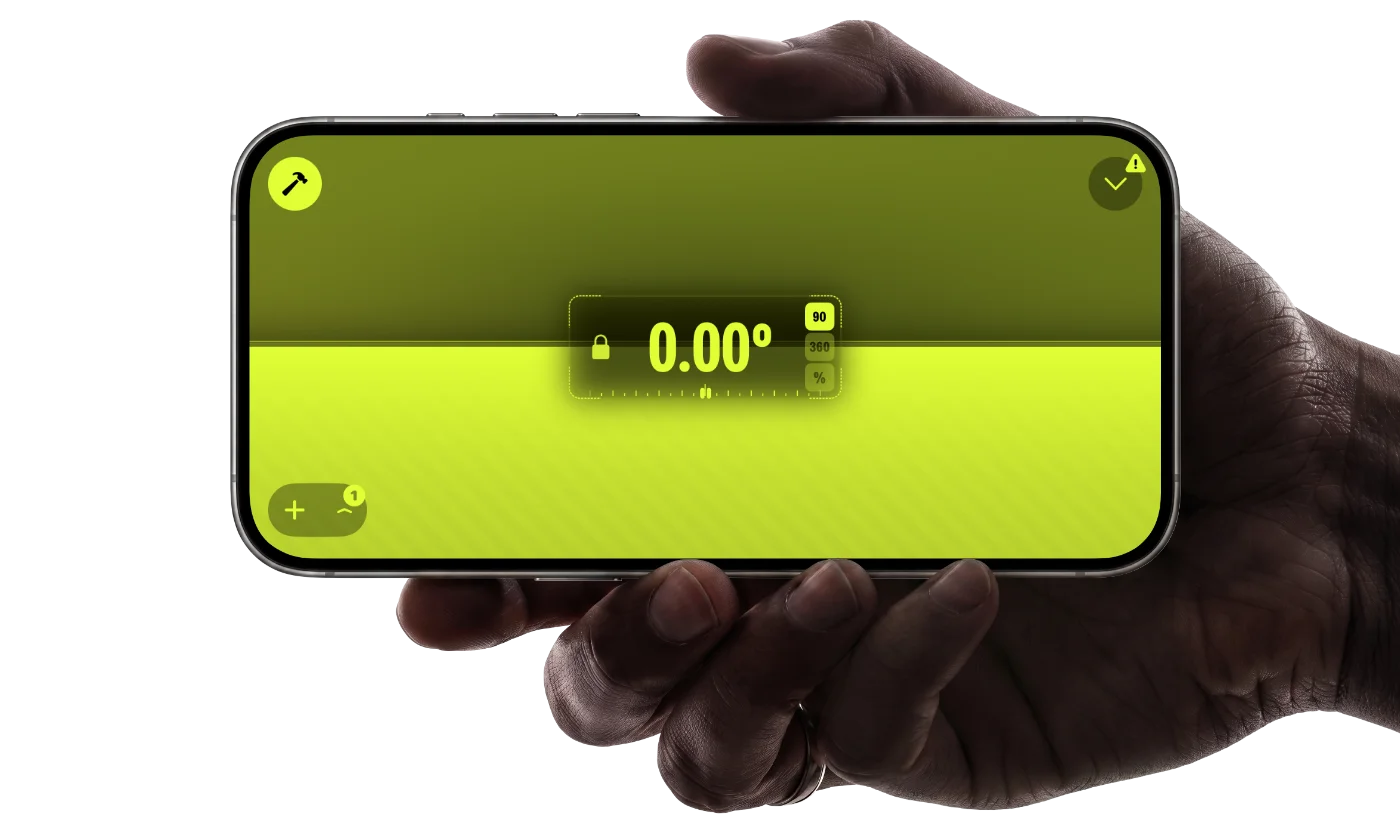
Bubble Level is the phone level and leveler app that turns your device into a professional-grade bubble level (or spirit level) and inclinometer for precise leveling and angle measurement. Whether you're hanging picture frames, aligning furniture, checking construction slopes, or doing detailed DIY and carpentry work, this phone leveler gives you dependable readings accurate to better than 0.1°.
With highly responsive sensor technology and optional AR measurement, you can read angles in degrees, percent grade, or roof pitch (inches per foot). Use it as a tilt meter, slope gauge, or digital level with crystal-clear visual guidance. Designed for simplicity and precision, Bubble Level gives you fast, dependable measurements anywhere you need them.
Bubble Level is designed for everyday tasks as well as precise, professional measurements. Here are two examples of how the app helps you get perfectly level results.

Place your phone on a table or countertop to confirm it’s perfectly level. The 360° bubble level and precise angle readout show even the slightest tilt. See it in practice: how to install floating shelves perfectly level.

Hold your phone against a wall or frame to verify perfect vertical alignment. The inclinometer mode and 0.0° plumb indicator help you hang items perfectly straight. Step-by-step: how to hang pictures perfectly straight with your phone.
Use your phone as a bubble level (or spirit level) and an inclinometer (or tilt meter) in one app. Check horizontal and vertical levels, measure slopes, and verify angles in seconds.
Turn on the AR ruler and AR protractor to measure distances and angles directly in your camera view. Get clear visual feedback for layout work, DIY projects, and quick checks on site.
Bubble Level is designed as a phone level tool that’s easy to read and effortless to use on both iOS and Android. A clean, high-contrast interface keeps your focus on the angle, not the controls.
Fast one-tap calibration and smooth sensor filtering give you stable, precise readings for DIY, carpentry, and construction.
The Bubble Level app gives you precise angle measurements across multiple modes, from simple leveling to advanced inclinometer readings. You can also save a custom reference angle, so all further readings are shown relative to your own baseline — handy for repeating the same angle across a project.

Lay your phone on any surface and see its tilt in both directions at once. Perfect for DIY projects, woodworking, or professional alignment tasks, it uses your phone’s sensors to deliver highly reliable leveling results — the app guides you until the surface is perfectly level.


Personalize the entire look of your bubble level with fully tintable UI elements and a rich color palette. Choose the appearance that fits your environment and makes angle readings easier to see—whether you're using the inclinometer, spirit level, or any of the app’s measurement modes.
Average 4.5 ★ from 450K+ users
M0LEhole 🇬🇧
Aug 28, 2025 · Tablet & media setup
This app helps me get my iPad completely straight and level to watch when it’s on a wobbly tripod holder — never let me down yet, thanks.
Cicstar 🇺🇸
Aug 11, 2025 · Telescope & astronomy
I use the bubble level for my telescopes. It’s accurate and very convenient.
levvaforu 🇫🇮
Jun 3, 2024 · DIY & home improvement
More detailed measurement results than the default iOS app. Very good! Not sure what the no‑ads logo means.
Jimmy 12376 🇺🇸
May 19, 2024 · Everyday use
I use this often. Pretty accurate — tested this app, it’s good.
Peter Rinktum Brown 🇦🇺
Feb 7, 2023 · Construction & renovation
This is the best angle finder I have ever found!
Calibration is fast and simple:
One-touch calibration keeps your readings accurate for both DIY tasks and professional work.
Step-by-step guides for getting perfectly level results — from picture frames to roof pitch.
No spirit level? No problem. Use your phone as a bubble level to hang pictures, mirrors, and frames perfectly straight every time.
Read guide → DIY & HomeA step-by-step guide to shelves that are straight, solid, and exactly level — using your phone as a precision level. No wonky shelves.
Read guide → ConstructionMeasure roof pitch in degrees, rise/run ratio, and percentage slope using just your phone — a quick method for DIYers, roofers, and builders.
Read guide → AppliancesA washing machine that vibrates or walks across the floor almost always just needs leveling. Here's how to fix it in minutes.
Read guide → Outdoors & TravelLevel your motorhome, campervan, or RV precisely using just your phone — no extra gear needed.
Read guide → ✦Imagine having a high‑precision bubble level, inclinometer, AR ruler, and protractor — all within a single app. Download Bubble Level now and experience professional‑grade measurement in the palm of your hand.